
Add Funds
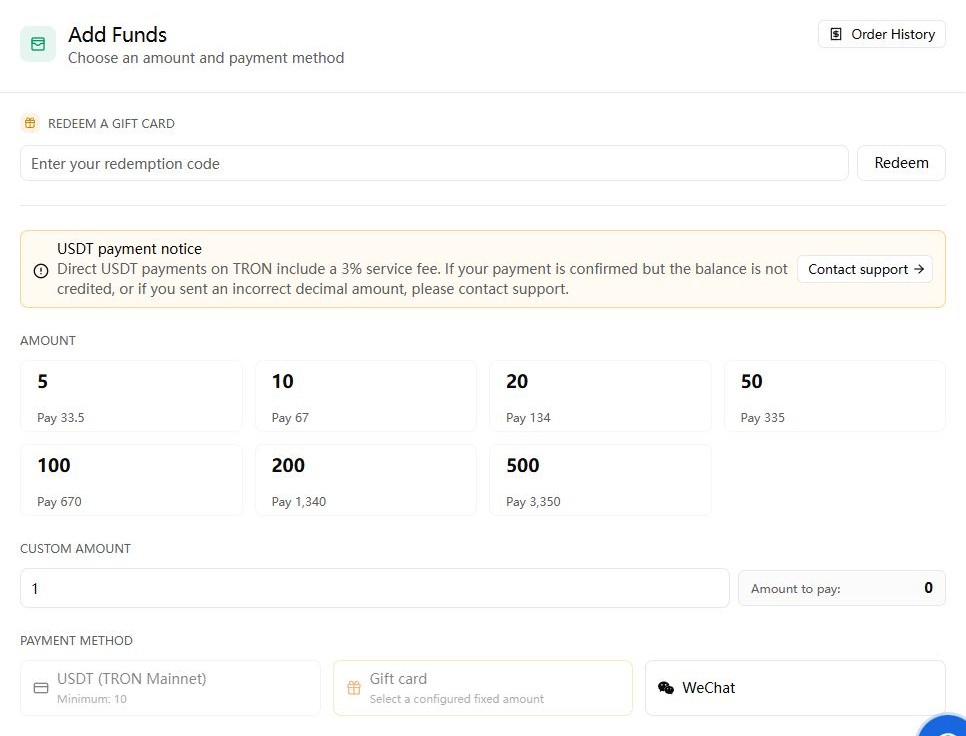
Sprelay deducts API usage from the account balance. Add a small amount for initial testing and raise it only after your key and application limits are working.
Steps
- Sign in and open the Wallet.
- Enter an amount or choose a preset shown on the page.
- Select an available payment method.
- Complete the payment using the instructions on the payment page.
- Return to the wallet and wait for the order status and balance to update.
Before paying
Verify that the browser is on sprelaytoken.com or a payment provider opened directly by the wallet. Do not pay an address supplied in an unrelated chat message.
An account balance and an API key quota are different. The account balance funds all keys; the key quota is an additional cap on one key. A disabled, expired, or exhausted key can fail even when the account still has money.
For payment troubleshooting, keep the order number, time, amount, currency, and a redacted screenshot. Never send card details, wallet secrets, account passwords, or API keys.
Next: Create an API Key